
























Want to take
iPhone Photos?
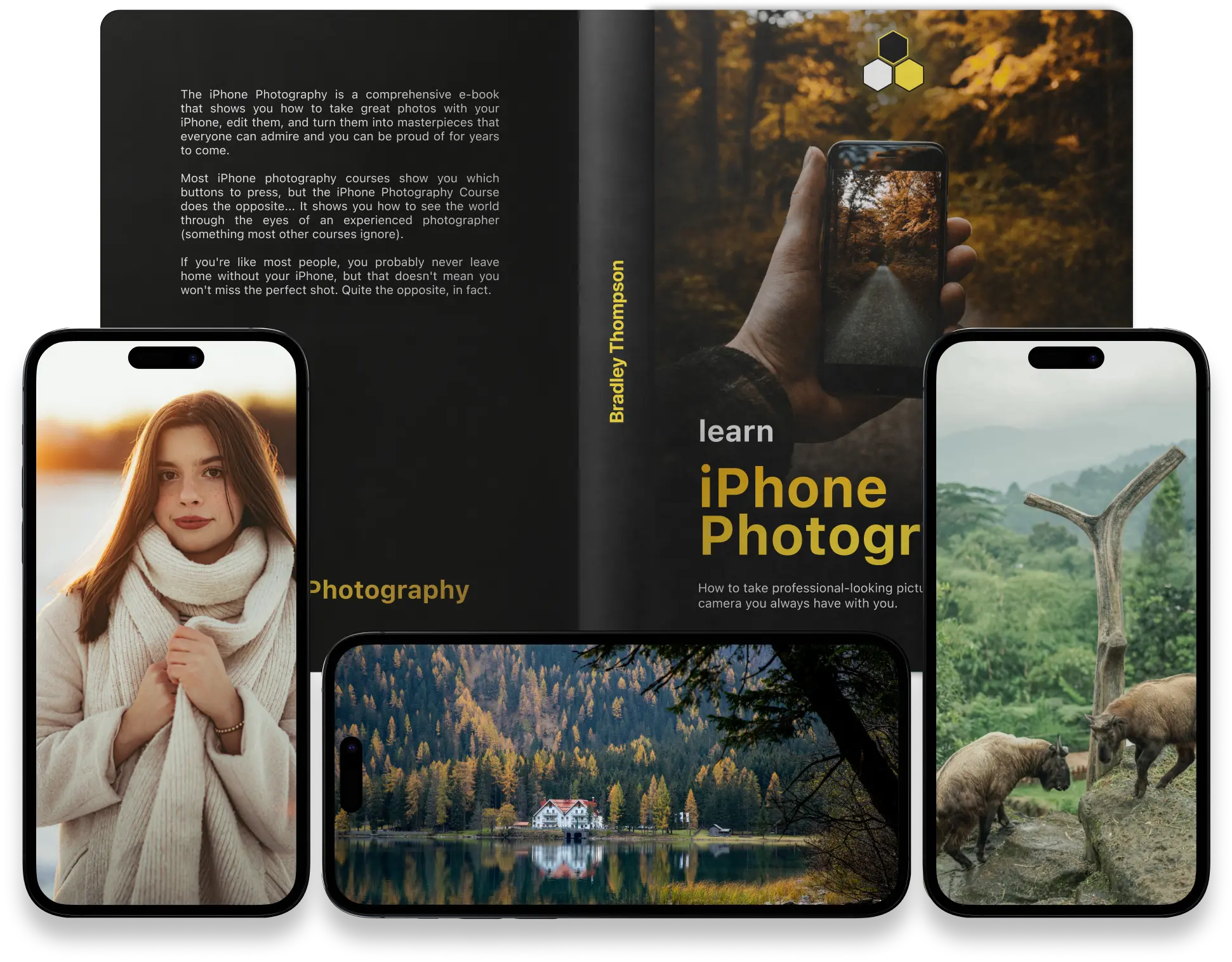
Do you have an iPhone? Get the most comprehensive iPhone-focused courcebook that will take your photos to the next level.
- Capture professional photos with your iPhone
- Take remarkable landscape photos with iPhone
- Turn ordinary photos into stunning magazine-quality images
- Freeze your best memories forever
- iPhone camera tips and tricks to take your skills to the next level
Want to take iPhone Photos?
Do you have an iPhone? Get the most comprehensive iPhone-focused courcebook that will take your photos to the next level.
- Capture professional photos with your iPhone
- Take remarkable landscape photos with iPhone
- Turn ordinary photos into stunning magazine-quality images
- Keep your best memories forever
- iPhone camera tips and tricks to take your skills to the next level
4.87 based on 233 reviews
Imagine this...
You and the love of your life have paid a few thousand dollars to go to the fanciest hotel for a dream vacation.
You arrive at the place, and you LOVE everything immensely. The expensive hotel has everything: you have a huge living room with a panoramic view of the sea, a bedroom you never even dreamed of, your own spa area, a pool facility, a gym, and all the other fancy accommodations you will probably never use.
You love it all but decide to only use your bedroom until the end of your holiday – and never access any of the other premiums you have already paid for…
You are probably asking yourself, “Why would anyone do that?” Right?
I’m here to tell you that this is what most people do with their iPhones…
25K+ Better
iPhone Photos
10+ Years
Of experience
Hey — I'm Bradley , the founder of The iPhone Photography and the man behind one of the biggest iPhone Photography teams in the world.
Photography is something I have always loved and have spent my whole life learning and adding to my camera collection and everything that goes with it.
My opinion of “mobile” photography was never really positive. I always thought that you could never take high quality photos with a cell phone and that it was all just a marketing ploy by the biggest cell phone manufacturers in the world.
Photography is the beauty of life captured.
Photography has always fascinated me since it gives me a way to express myself.
Nothing I love more than capturing a perfect moment, treasuring it forever, and revisiting it endlessly to savor that feeling.
It may be the incredible locations that you get to see when traveling, the wonderful times that you spend with your family, or the one-of-a-kind moments that nobody else would be able to experience if you didn’t take a picture.
And the best part is when you find these photos years later when the memories are no longer fresh in your mind, you’ll be able to experience them once again. This is how powerful photography can be!
So how do you achieve that?
For a long time, I believed creating art with my photos required the most expensive equipment and the best DSLR camera.
On all my vacations, I would travel with a backpack that weighed as much as my daughter, just so I could bring my expensive camera and capture those moments.
I couldn’t have been more wrong… Ironically, every time I saw amazing sites, fabulous sunsets, or just important moments that I wanted to capture, my camera wasn’t there.
I wanted to get more into photography, but it was tough to carry a bulky camera at all times.
Photography has nothing to do with cameras.
After a while, I realized that it didn’t matter what camera I used – whether it was a €5,000 camera with a €2,000 lens or my father’s old beat-up camera, all that mattered was whether or not I was able to capture the moments I wanted.
After some time passed and I started to get better and technology was developing rapidly, I bought my first iPhone. I was already aware that, in comparison to other smartphones, the iPhone takes photos that are, on average, of a higher quality.
As an enthusiastic photographer, I had seen several of my friends and colleagues uploading gorgeous images they had taken with their iPhones to social media, but it had never occurred to me that an iPhone could actually be used to take great photos. (After all, it’s not the camera I spent an awful lot of money on).
I had to give it a try… I understood that the iPhone is just a tool that can be utilized to take photographs that range from awful to breathtaking.
I was shocked at what an infinite world of possibilities I had stumbled into. The power and vast possibilities that the iPhone offers to anyone willing to acquire the skills to shoot with it is just insane!
I spent the next years of trying to perfect this craft.
Portable, always present, and easy to use. Once I knew that these features were what really mattered, I grew to cherish my iPhone.
My journey to refine my mobile photography skills began, but I was far behind my peers. So I sought advice and learned all I could to catch up and master this powerful tool.
After some time, I found that all photographers who had an iPhone as their primary camera used similar approaches and principles.
It didn’t take long to figure out the precise methods used by professionals (I was also one, after all), and my iPhone photography has never been the same.
These methods are easily replicable, and ANYONE can become a professional iPhone photographer by simply applying them.
People couldn't believe my iPhone took these photos...
After a while, I started to upload the photos taken with my iPhone on social media, and in the description I wrote that they were taken with my iPhone. No one believed me!
I started getting comments complimenting my photos, but often there were people who thought I was just misleading them with the description and the photos were taken with a professional camera.
I said to myself “If photos that good can be taken with just an iPhone imagine if everyone knew that before spending a few thousand dollars on expensive fragile and hard-to-carry equipment…”
And the truth is that…
You don't need anything special.
And I wanted to prove that! It got me thinking: How can I make my greatest passion, photography, more accessible and understandable to people who would like to take good photos but are not very interested in investing in expensive equipment and time to learn all the details of the art of photography?
The answer was pretty clear – the powerful mobile device in my hand that was called an iPhone.
I got in touch with my former colleagues, students, and friends who are passionate about photography and told them about my idea to make photography universally accessible to everyone who wants to take beautiful and high-quality photos but doesn’t want to invest too much time and money into it, and they all received my proposal with great enthusiasm and positive attitude.
We started searching for all available information on the subject. It took us more than a year to collect, process, and filter the most important information and to communicate it in a way that is easy to understand for anyone embarking on the adventure of photography with the iPhone.
You don't even suspect the power your iPhone has!
Almost everybody has one right in their pocket. Yet the iPhone remains untapped and unused to its full potential.
The iPhone is a prestigious phone and an even more impressive camera. And if you are still wondering how to recreate the same images you see on social media, you are in for a treat.
Here’s the deal – you need to take hundreds of thousands of pictures and inevitably make every mistake you can for 10 years or more in order to improve your iPhone photography skills on your own.
My experience led me down this rocky road. But if you don’t have the time and money for a decade full of trial and error, there is an easier way around, I wish I’ve had the opportunity to follow myself.
iPhone Photography
Coursebook
Years of knowledge and practice collected in one perfectly efficient training.
Join Bradley and the league of proficient iPhone photographers now!
Follow a comprehensive course to learn all you need to know in order to take stunning photos like a pro. Master the Camera of your iPhone and take your photos to new heights.
You will crazily enhance the potential of your iPhone with just a little knowledge of a few iPhone tips & tricks. Doing this will instantly transform your ordinary photos into stunning masterpieces like this one:


Start capturing picture perfect memories.
Everyone can take a good looking photo when the moment is favorable.
But great photography is about shifting the viewer into the photo and making them feel the moment.
And you can do the same if you have the right knowledge.
Get instant results with the iPhone Photography!
- Capture the best memories with your iPhone.
- Edit your photos to perfection.
- Amaze your friends with astonishing photos everywhere you go.
Want to hear the best part? You don’t need prior experience. Moreover, you’ll save 10 precious years of your life – years of struggling, reading, comparing, and trying to accomplish something that can be mastered in no time with the right approach. Most students of iPhone Photography see instant improvements!
4.87
(233 Reviews)
The 60% Discount ends tonight!
- 00DAYS
- 00HOURS
- 00MINUTES
- 00SECONDS
The iPhone Photography has a 30-Day Money-Back-Guarantee
iPhone Photography
”The most comprehensive eBook on the planet”
Normal price $96
Today only $29!
Included: $185 of Total Bonus Value
Get instant access to your materials!
I’m confident you’ll love the iPhone Photography course, so I’m throwing in a no-questions-asked money-back guarantee. If you don’t take the best photos with your iPhone in the next 4 weeks, you will get your money back as a full refund.
You don’t have to make a final choice right now! Instead, you can get the discount now and determine whether or not you want to keep the coursebook later.
Take a look at my students reviews.
What does the iPhone Photography include?
Chapter #1
iPhone Camera Principles
The chapter will begin with the fundamentals, but even skilled users are sure to pick out some useful tips and techniques along the way.
You will learn how to take the appropriate shot, edit it effectively and make it appear like a magazine covers no matter the location and time.
Chapter #2
Mastering Composition
If you take the time to perfect the composition of your shots, you can make anyone stop and look at them.
Literally, anyone can pull out their phone and snap a photo.
But that’s not enough if you want to stand out. In this chapter, you’ll learn some simple rules for composition that’ll make your iPhone images truly special.
Chapter #3
Landscape Photography
Anyone can point their iPhone camera at a breathtaking view, but only an experienced photographer can take truly stunning landscape photos.
With the right techniques, you can turn even an ordinary landscape into a beautiful and compelling image.
In this chapter, you will learn important composition techniques that will help you turn your iPhone landscape photography into something you can truly be proud of.
Chapter #4
Portrait Photography
People are great subjects for your iPhone photography, and there are many different ways to capture them.
From traditional portraits to unique and unusual images, there are countless ways to tell interesting stories and capture special moments when photographing people.
In this chapter, you will learn how to make your iPhone photos of people even more interesting and engaging.
Chapter #5
Additional Camera Tips
Think you’re getting the most out of your iPhone’s camera features?
Some iPhone camera settings are so well hidden that you may not even know they exist.
But once you find them, you can take your photography to a whole new level.
In this chapter, you’ll learn about the camera features that will significantly improve your photos and give you ultimate control over your iPhone camera.
Chapter #6
Interesting Things to Photograph
There are a variety of intriguing and unique photographic subjects, but they do not fit neatly into separate categories, thus they are grouped here under a broad category.
Objectively speaking, it is possible to photograph anything with your iPhone.
This chapter will provide you with actionable tips and detailed instructions for producing professional-quality images with your iPhone in different scenarios.
Chapter #7
iPhone Photo Editing
You can make simple edits or advanced adjustments to the colors and lighting in your photos directly in the photo library app.
This chapter will teach you how to edit photos on an iPhone using the Photos app.
Learn how to transform your everyday photographs into spectacular photos using simple techniques.
Just for today, we're giving in some Free Bonuses!
BONUS Chapter #8
Creating Stunning Photographs
($29 value – yours free)
How often do you look at a picture and wonder, “How is this possible?”
Who doesn’t? If you did so, that makes you one of us. Discover the key components of making stunning photographs in this chapter.
BONUS Chapter #9
Editing to Perfection
($39 value – yours free)
Which photo editing applications are the best for enhancing your iPhone pictures?
How do you decide which apps to use when there are so many options?
In this chapter, you will discover the top iPhone picture editing applications and how to use them to perfect your photographs.
BONUS Chapter #10
Improving your Photo Library
($19 value – yours free)
The picture collection on your iPhone may quickly grow unmanageable if you aren’t organized. The wonderful photographs you have taken may be lost in the confusion.
In this chapter, you will find out how to organize your Photo library and always find the photos you are looking for!
BONUS Chapter #11
Mastering the iPhone 15 Series
($29 value – yours free)
What makes the iPhone 15 series a game-changer in mobile photography?
In this exclusive chapter, dive deep into the cutting-edge capabilities of the iPhone 15 series.
Learn the nuances of its enhanced camera system, from utilizing the revolutionary sensor technology to mastering the new photographic styles and modes.
BONUS eBook
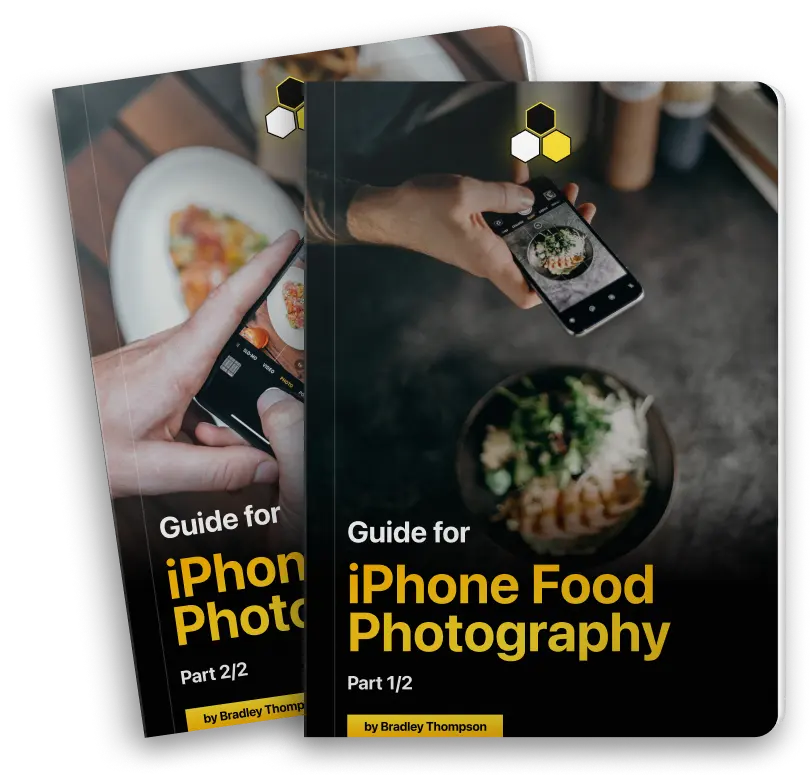
Food Photography eBooks
(original price $69 – yours free)
These eBooks will help you get your Food Photography to the next level!
In an era where more and more people present themselves through their food content, a good picture is defining.
Learn how to create tasty shots that compliment the amazing food you capture.
Check out some of my favorite photos of students!
Real soon from now, you could be taking such photos and nobody will even believe they were taken with your iPhone…
Taken with iPhone 13 Pro
Davis Jackson
This photo was taken and edited by Davis Jackson, using the Long Exposure mode of their iPhone 13 Pro.

Taken with iPhone 12
Allan Black
In-action photos can be hard to take, but not for Allan Black. Using the burst mode of his iPhone 12, he was able to achieve this stunning photo!

Taken with iPhone 12
Dane Kelly
Thinking older iPhones cant take good photos? Take a look at this photos shot and edited by Dane Kelly, using only her iPhone 12 and Lightroom CC.

Taken with iPhone 14 Pro
Emilia Taylor
Amazing results with iPhone 14 Pro by Emilia Taylor who shot on edited this photo of the moving water using the Long Exposure mode!
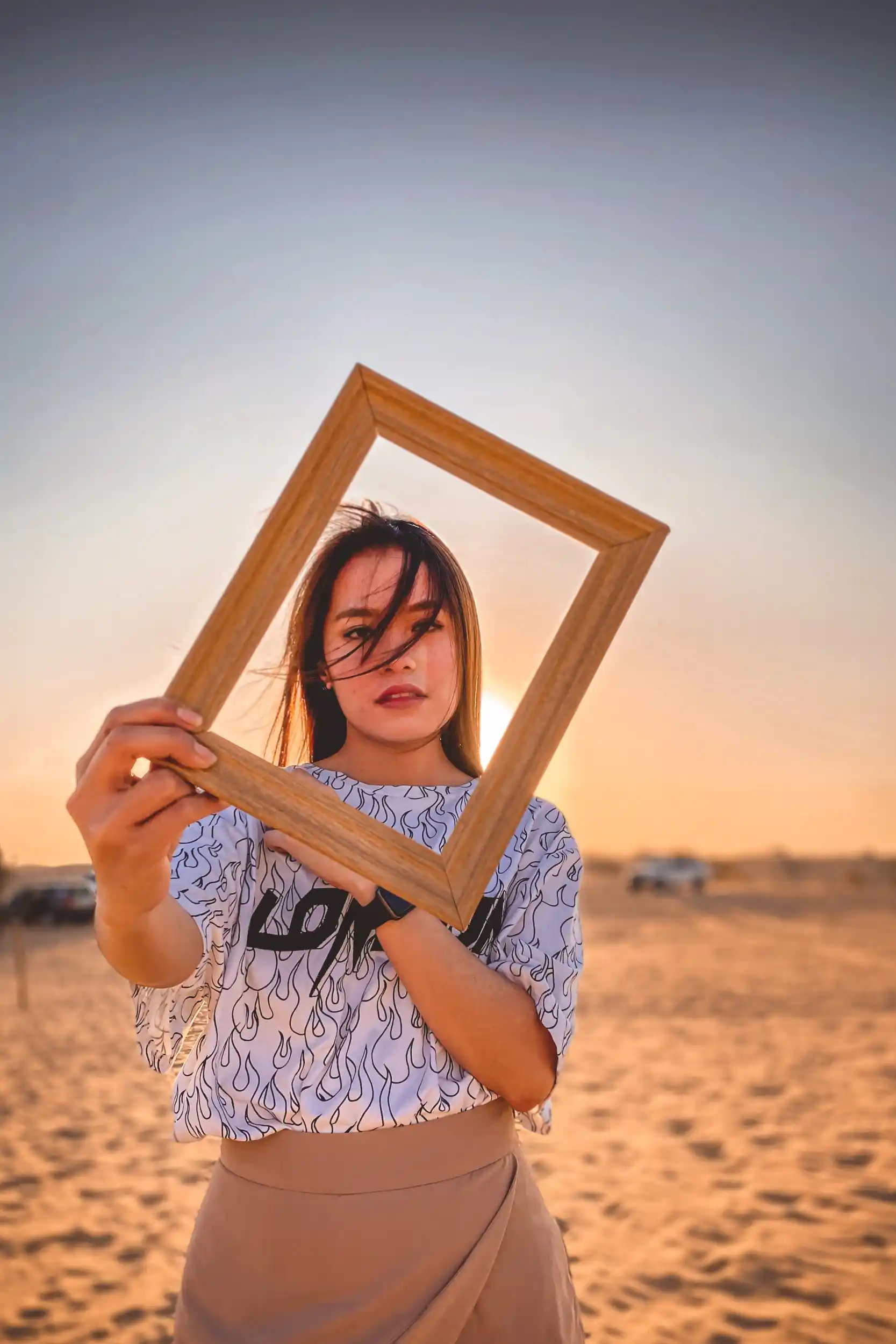
Taken with iPhone 13 Pro
Eva Lambert
This astonishing portrait was taken and edited by Eva Lambert, using only the portrait mode on his iPhone 13 Pro.

The 60% Discount ends tonight!
- 00DAYS
- 00HOURS
- 00MINUTES
- 00SECONDS
The iPhone Photography has a 30-Day Money-Back-Guarantee
iPhone Photography
”The most comprehensive eBook on the planet”
Normal price $96
Today only $29!
Included: $185 of Total Bonus Value
Get instant access to your materials!
Never wonder how to take the best photo again!
- Capture the best photos with your iPhone.
- Amaze your friends with astonishing photos everywhere you go.
- Use the most powerful device in the world to its full potential.
And the great news is that you don’t need prior experience. Moreover, you’ll save 10 precious years of your life – years of struggling, reading, comparing, and trying to accomplish something that can be mastered in no time with the right approach. Most students of iPhone Photography see instant improvements!
4.87
(233 Reviews)
Not convinced yet?
Here is what my
students are saying...
Amelia Miller
I’ve found that wherever I go, I look at my surroundings in a different way. I’m looking forward to traveling, taking photos, and sharing interesting things again. Meanwhile, you have made me much more aware of where I am.
Emily Dallas
This is the first time I am writing a rewview, had to… This has helped me capture every precious moment in the best way possible, and I’m so glad I learned this skill, because I found out that this was the hobby I needed in my life.
Matthew White
It’s one of the finest investments I’ve made in recent years. When I hold an iPhone, I know I have a professional camera that can do practically everything. I appreciate the course. I’ve subscribed and look forward to the next course.
Tommas Brown
I’ve been a studio photographer for three years, and I wanted to learn more about photography as a whole. I already had an iPhone when I saw the ad on Facebook. I bought the course right away and started learning the basics of taking photos with my iPhone. My photography background and experience helped me learn this new information much faster! I’m so glad I didn’t skip the advertisement!
Juan Diaz
Hi, I felt compelled to give my feedback about this course. I’ve looked all over the internet, and this course offers the most value for the money.
Got questions?
Well, we've got
all the answers!
Our books are written for beginners and intermediate photographers who are interested in learning how to take better photos with their iPhones. You don’t need any prior knowledge or experience in photography to understand our books.
Our books cover photography techniques and tips that can be applied to any iPhone model and iOS version. However, some of the settings and features may differ slightly depending on the iPhone model and iOS version you have.
We currently offer six books: iPhone Photography, Landscape Photography, iPhone Settings, iPhone Post-processing, mobile photography with AI, and Food Photography. Each book focuses on a specific topic and covers everything from composition and lighting to post-processing and editing techniques.
Yes, our books are suitable for both iPhone and iPad users, as the techniques and tips we cover can be applied to both devices.
No, you don’t need any additional equipment or accessories to apply the tips and techniques in our books. However, we do provide some recommendations for optional accessories, such as tripods and lenses, that can enhance your iPhone photography experience.
Our books primarily focus on photography, but we do include some tips and techniques for video recording with the iPhone, especially in the iPhone Photography and Landscape Photography books.
Yes, we update our books regularly to reflect changes in iPhone models and iOS versions, as well as to add new tips and techniques as they become available.
Yes, you can print out the digital PDF books for personal use. However, please note that our books are copyrighted and are not to be distributed or shared with others.
After purchasing our books, you’ll receive an email with a download link for the digital PDF files. Simply click on the link to download the files to your computer or mobile device.
Yes, we offer a 30-day money-back guarantee if you’re not satisfied with our books. Just email us within 30 days of your purchase, and we’ll issue a full refund.
Yes, you can gift our books to someone else by purchasing them and then forwarding the download link to the recipient. Please note that our books are copyrighted and are not to be distributed or shared with others without permission.
Yes, the techniques and tips we cover in our books can be applied to other types of photography as well, not just the ones we specifically mention. Our books cover fundamental photography skills that can be useful for any type of photography.
Yes, once you download the digital PDF files, you can access them on any device that supports PDF files, such as a computer, tablet, or smartphone.
Currently, we only offer digital PDF books on iPhone photography.
While our books are specifically written for iPhone photography, many of the tips and techniques we cover can be applied to other types of smartphones as well. However, please note that some of the settings and features may differ depending on the smartphone you have.
Yes, we cover post-processing and editing techniques in several of our books, including iPhone Post-processing and mobile photography with AI. We provide step-by-step instructions for editing photos on the iPhone using various apps and tools.
Our books primarily focus on beginner and intermediate photography techniques, but we do include some tips and techniques for advanced photography settings, such as manual camera settings, in some of our books.
Learning iPhone photography can be incredibly rewarding, as it allows you to capture beautiful moments and memories with just your smartphone. Additionally, it’s a great way to express your creativity and learn a new skill.
Our iPhone photography ebooks are designed to be comprehensive and easy to follow, providing step-by-step guidance for photographers of all levels. We also offer a range of different ebooks, each focusing on a specific aspect of iPhone photography, so you can choose the one that best fits your needs.
We release new iPhone photography ebooks periodically, depending on demand and new developments in the field.
Yes, we are happy to provide additional support and answer any questions you may have regarding the content in our ebooks. You can contact us via email or through our website’s contact form.
The iPhone Photography Masterclass is a bundle of 5 eBooks:
- iPhone Photography eBook from Bradley Thompson with a total of 171 pages.
- iPhone Post-processing eBook from Bradley Thompson with a total of 88 pages.
- iPhone Landscape Photography from Bradley Thompson eBook with a total of 105 pages.
- iPhone Settings eBook from Bradley Thompson with a total of 71 pages.
Take your iPhone Photos to the next level!
The 60% Discount ends tonight!
- 00DAYS
- 00HOURS
- 00MINUTES
- 00SECONDS
The iPhone Photography has a 30-Day Money-Back-Guarantee
iPhone Photography
”The most comprehensive eBook on the planet”
Normal price $96
Today only $29!
Included: $185 of Total Bonus Value
Get instant access to your materials!
Want to take higher quality photos right now?
By doing the steps below you will be able able to use the full capacity of your iPhone’s Camera quality.
Go to Settings
Scroll down until you see the Camera and tap to open it.
Tap on Formats
Change the output from Most Compatible to High Efficiency.
Tap Record Video
Make sure the highest option is chosen and do the same for Slo-mo.